

Ever since my old Lumia 1020, I’ve been completely obsessed with low-light photography. There’s a certain magic in pointing a camera at the night sky and watching it reveal a universe of stars that our eyes just can’t see. When Google first introduced astrophotography with the Pixel 4, I was hooked. I remember capturing some truly remarkable photos with an “Oh-So-Orange” Pixel 4 XL.
Now, with the new Pixel 10 Pro in my hands, I had to see just how far the technology has come. The weather was perfect, clear skies and no visible moon. It was the ideal night for a photo shoot.
The Journey to Magnolia Bluff
I headed out early to Magnolia Bluff, bringing both my new Pixel 10 Pro and my trusted Pixel 9 Pro. The park was just starting to empty, and it was a short hike to my favorite clearing. I set up my tripods and attached both phones, ready for a side-by-side comparison.
Both phones are running Android 16, so the experience felt very familiar. While the new Night Sight animation is a neat touch, I quickly disabled it to get straight to the point.

Stellar Results, But a Bumpy Ride
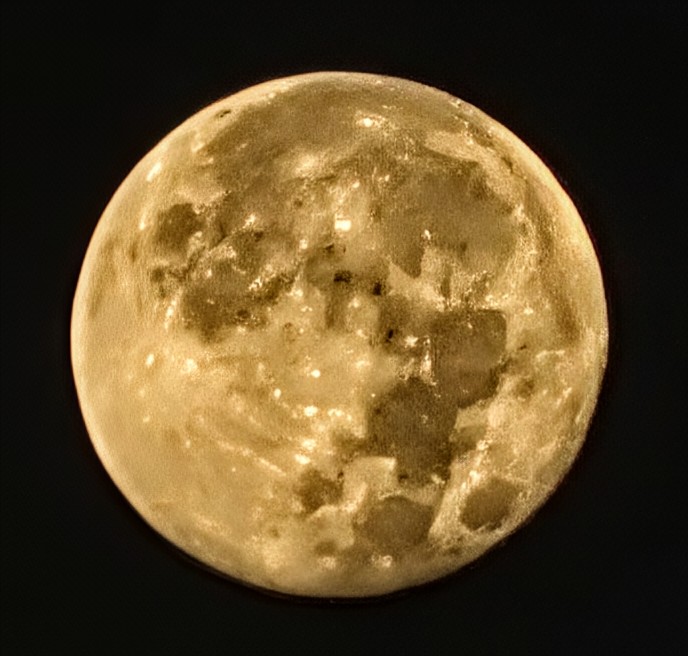
The photos from both phones were, without a doubt, impressive. It still amazes me how much more the camera sensor can capture than my own eyes. Each astrophotography shot takes roughly four minutes and twenty seconds. Curiously, my Pixel 9 Pro finished its process 15 to 17 seconds earlier. The Pixel 10 Pro performed well, and I’m excited for many more early mornings spent under the stars.
However, despite the beautiful results, the experience with the Pixel 10 Pro was a little frustrating. It had a couple of glaring software issues that really tarnished the moment.
First, the camera app occasionally crashed. This only happened twice, but it immediately brought back memories of the crashing issues I had with my Pixel 8 Pro. For a brand-new, premium-priced phone, an app like this simply shouldn’t be crashing.


Second, the software lagged significantly after a shot was completed. The phone would cycle through a series of messages: “Fine-tuning image,” “Capturing more light,” and “Wait longer for a better photo.” This frustrating process could take an additional three to four and a half minutes after the main photo was already taken. It completely breaks the smooth workflow I expect from a flagship device.

The Bottom Line: Beautiful Photos, but Frustrating Experience
While the photos from the Pixel 10 Pro are absolutely beautiful, these software issues are a serious pain point. When you pay a premium price for a device, you expect a seamless experience. If I can’t use all of its features without constant annoyance, it feels like an incomplete product. I’m really hoping a future #MadeByGoogle software update will correct these issues.
I’ve searched online and haven’t found many discussions about these problems. So, I’m turning to you, the community. Has anyone else with a Pixel 10 Pro experienced similar issues? Let me know in the comments below!

Leave a Reply